
OCR Invoice Processing: How to Automate Data Entry and Save Time
Updated on February 10, 2026 | 7 min. read


🌟 KEY TAKEAWAYS

OCR invoice processing turns paper or digital invoices into editable, searchable data.
It reduces manual data entry errors and speeds up your accounts payable workflow.
Works with many invoice formats (paper, PDF, images) and integrates with accounting software like FreshBooks.
Saves time so you pay vendors (and get paid) faster, while avoiding duplicate entries and delays.
When you put that to work on bills, you get OCR invoice processing. It lifts key invoice details (vendor, invoice number, dates, totals) from different invoice formats and feeds them straight into your accounts payable workflow, cutting manual data entry and keeping everything in one digital place.
In this guide, we’ll show how OCR technology works for invoice processing, where it shines (and where it needs help), and how to choose OCR software that plays nicely with your accounting software (FreshBooks included) for truly automated invoice processing.
What is OCR invoice processing?
Optical character recognition (OCR) is the technology that powers OCR invoice processing, which turns text on paper invoices, PDFs, and images into searchable, machine-readable invoice data you can actually use in your accounts payable workflow.
Defining OCR for small businesses
Think of OCR as a super-fast typist. It “reads” bills and receipts, converts them into machine-readable text, and drops that info into your digital records, which is way better than digging through boxes of paper. You’ll see optical character recognition across healthcare, logistics, and finance, but it’s especially handy in accounting for scanning forms, depositing checks, and invoice processing without all the manual data entry.
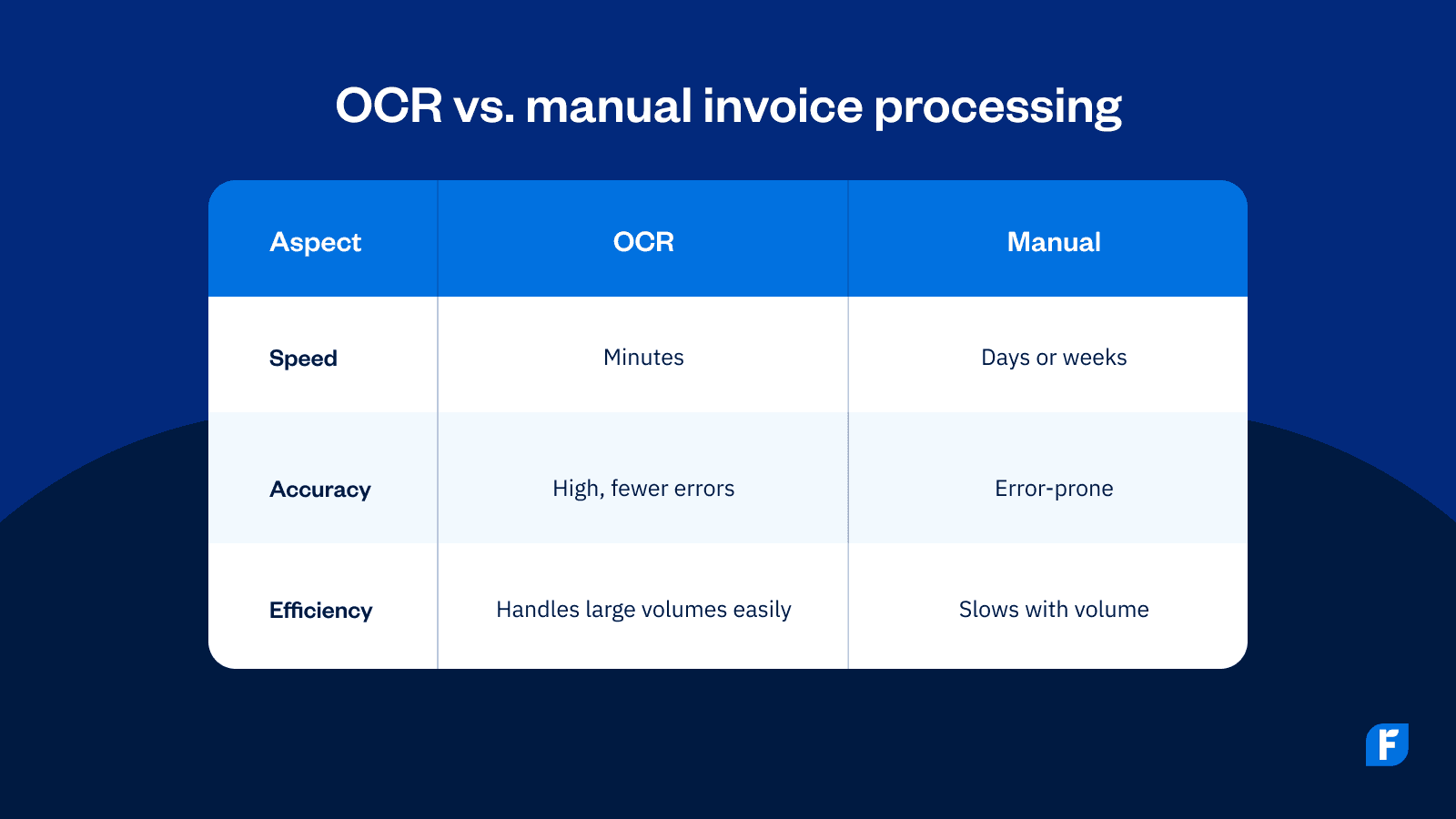
OCR vs. manual invoice processing
Re-typing invoice details is slow and error-prone. OCR technology pulls the key invoice details (vendor, dates, invoice number, totals) from different invoice formats and keeps them consistent across your system.
- Manual invoice processing: retyping line items, higher error risk, slow approvals, and duplicate entry across tools
- OCR invoice processing: fast data capture, fewer typos, scales with volume, and pushes extracted data straight into your accounting software (no copy-paste)
With the right OCR software (and decent image quality), you can process high volumes quickly and accurately, then route those bills through your approvals, keeping your bookkeeping consistent and your accounts payable moving.
How OCR technology works in invoice processing
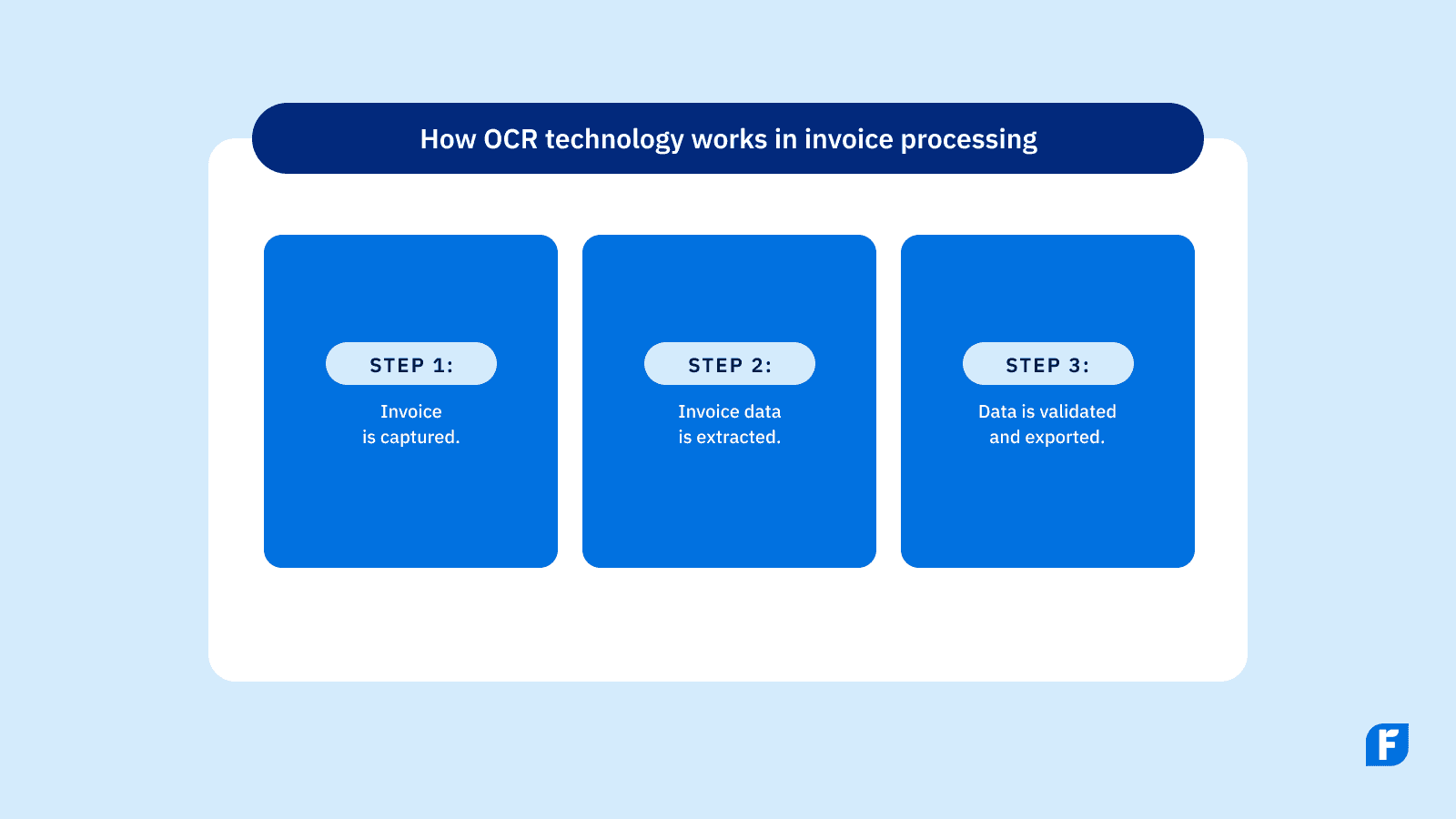
Now that we understand a bit more about what OCR is, let’s explore the process of using OCR invoice processing in your accounts payable system.
Step 1: Capturing the invoice
Snap or scan the document so optical character recognition (OCR) can see it clearly. OCR invoice processing works with paper invoices, photos, scanned paper documents, unsearchable PDFs, and email attachments, and most tools offer mobile capture.
Tip for better data capture: Make sure you have a flat page, good lighting, no shadows, and a high-resolution image.
The goal is to get the invoice into your system so the OCR workflow can start.
Step 2: Extracting the invoice data
Once captured, OCR technology runs automatic data extraction to pull key invoice data, such as vendor, dates, invoice number, line items, subtotals, taxes, and totals, from different invoice formats.
Modern, machine-learning-based OCR is often template-less, so it can “read” new layouts and attach confidence scores to fields.
The output should be structured, machine-readable text (the extracted data) that you can search, report on, and push into your books. No more manual data entry.
Step 3: Validating and exporting data
Before you post anything, run a quick review and correction process to validate extracted data. Run the following validation checks:
- Math check: Make sure totals are equal to individual line items plus tax.
- Date check: Dates should make sense.
- Vendor check: Confirm that vendor details match your records.
- Duplicate check: Verify that there are no duplicate invoices.
These are surface-level checks. Deeper checks like PO/3-way match and policy validation rules take place later in your AP system.
Once you've done your validation, export the extracted data or sync it to your accounting software (e.g., FreshBooks) so bills/expenses are created automatically.
Now you've got automated invoice processing that keeps your accounts payable workflow moving. Statuses stay in sync, approvals are faster, and the copy-paste grind disappears.
Benefits of OCR in accounts payable workflows
We know how OCR invoice processing works, but what about the benefits of using this technology in your accounts payable process? Here’s what you need to know.
Reduced manual data entry
Of course, the most obvious benefit of OCR is saving time on manually entering data. Not only will this mean less time spent repetitively typing in figures from countless documents, but it also helps to cut down on human error, which is inevitable if you’re working on enough invoices. This speeds up data entry, helps you keep more accurate records, and frees up your staff to focus on more high-value tasks in your organization.
Faster invoice approvals and payments
Faster data capture with OCR invoice processing means invoices can move through approval stages more quickly. This helps keep you on track with payment deadlines and improves relationships with your vendors. It can even save you money in case of late payment penalties.
Compatibility with multiple invoice formats
Because OCR software works with paper documents, scanned images, digital PDFs, and even photos from your mobile device, it’s a versatile tool to add to your invoicing and data entry system. This lets you read invoices from various vendors (in multiple invoice templates), without having to manually program it each time.
Limitations and what OCR can’t do alone
Of course, there are limitations to OCR invoice processing that you’ll need to keep in mind. These include:
Accuracy challenges with poor-quality documents
OCR needs to be able to recognize characters to do its job. This means it struggles with blurry scans, low-resolution images, or messily handwritten paper invoices. Some platforms also struggle with more complex invoice layouts, meaning a human might need to manually review their work before signing off on it.
The role of human oversight
OCR is most effective when it’s combined with human review. By approaching invoicing and data entry with a tandem strategy, your staff can validate data, resolve mismatches, and manage unusual cases more quickly, while the bulk of the work is completed by the OCR software.
Choosing OCR software for invoice processing
What should you look for in an OCR software platform? Here are a few suggestions:
Key features to look for
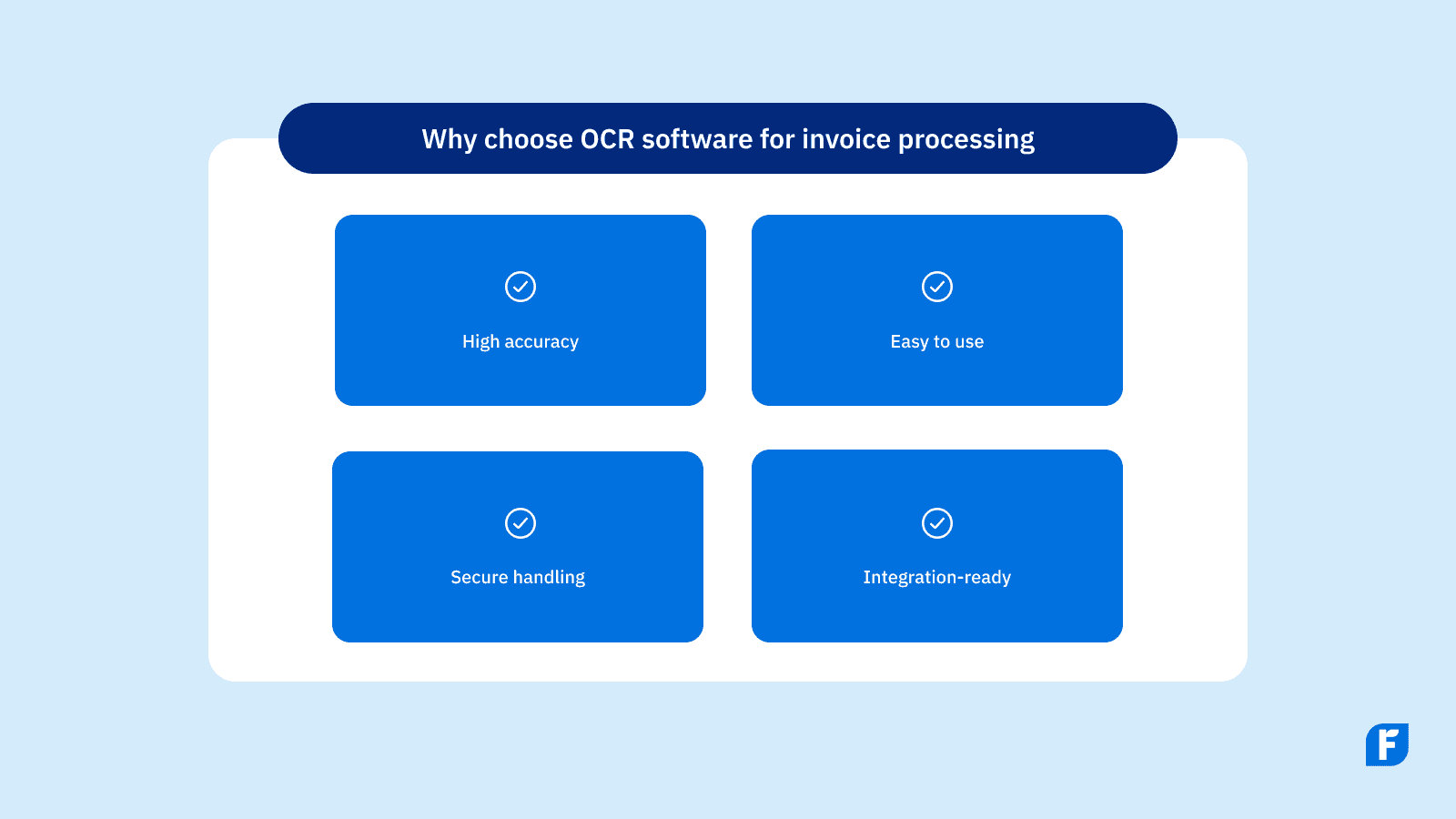
Key features that you should look for in an OCR invoice processing software platform are:
- Accuracy and formats: High OCR accuracy; supports paper, PDFs, images, and emailed invoices.
- Ease of use: Simple setup and workflows tuned for small business teams.
- Capture and extraction: Template-less capture, line-item extraction, and confidence scoring.
- Security: Look for encryption in transit/at rest and clear SOC 2/GDPR/PIPEDA language.
- Integrations: Direct sync to FreshBooks and other accounting software; invoice OCR API for custom flows.
- Administration: Audit trails, roles/permissions, duplicate detection, and vendor master sync.
Why integration matters
Investing in an OCR platform that seamlessly integrates into your other tools, such as your accounting software, is worth it. By choosing an invoice OCR option that communicates with your other platforms, you’ll avoid duplicate data entry and speed up your entire AP workflow while enhancing accuracy.
A tight integration pushes extracted data into bills/expenses automatically and keeps statuses in sync—no copy-paste, no double entry, just a smoother AP workflow.
Direct sync to FreshBooks means vendor details and PDFs attach to bills automatically, and your AP statuses stay aligned, with less chasing, faster approvals.
Speed up invoicing with automated tools in FreshBooks
As you can see, the technological innovations in OCR invoice processing have quickly become invaluable for speeding up data capture, reducing errors, and improving integration with existing accounts payable workflow. For small businesses, the time savings, enhanced accuracy, and improved vendor relationships of automated invoice processing are just a few of the benefits of embracing this high-tech data solution.
Ready to see how much time you could save on your AP workflow? Start your free FreshBooks trial today and see how easy invoice processing can be with automated tools.
Frequently asked questions
Still curious about OCR invoice processing and how it fits into your accounts payable workflow? Here’s the quick, no-jargon version.
Can OCR process handwritten invoices?
Yes, with limitations. Optical character recognition (OCR) can read scanned paper documents and even some handwritten vendor invoices. But results vary with legibility, so even modern OCR software (often machine-learning-based OCR) may misread sloppy handwriting. Best practice: run a quick review and correction process to validate extracted data (totals, invoice numbers, dates) before posting. That way, your invoice data extraction is accurate across various invoice formats, from paper invoices to digital invoices.
Is OCR secure for financial documents?
Reputable OCR solutions take data security seriously: encryption in transit/at rest, role-based access, and audit trails inside your document management systems and AP software. If you’re implementing OCR, confirm policies for retention, data export, and regional compliance. When processing invoices that include tax IDs or banking info, keep everything inside secure accounting systems and no loose PDFs in shared folders.
Does OCR work with cloud accounting software?
It should. The best OCR software integrates cleanly with your accounting or ERP system (think FreshBooks) so automated workflows can route invoices, and extracted invoice data can sync to bills/expenses. If you need custom flows, look for an invoice OCR API to export extracted data into other tools or workflow automation tools. Net effect: less manual data entry, fewer manual errors, and real cost savings in your payable workflow.
Can OCR handle 3-way match?
While some OCR tools can flag obvious duplicates during capture, checking against your entire payment history (e.g., catching duplicate invoices) and the complex logic of 3-way match (PO ↔ receipt ↔ invoice) live in your accounts payable processes, not in OCR alone. Pair OCR with your AP rules to reduce costly errors, support timely payments, and even unlock early payment discounts when approvals move faster.